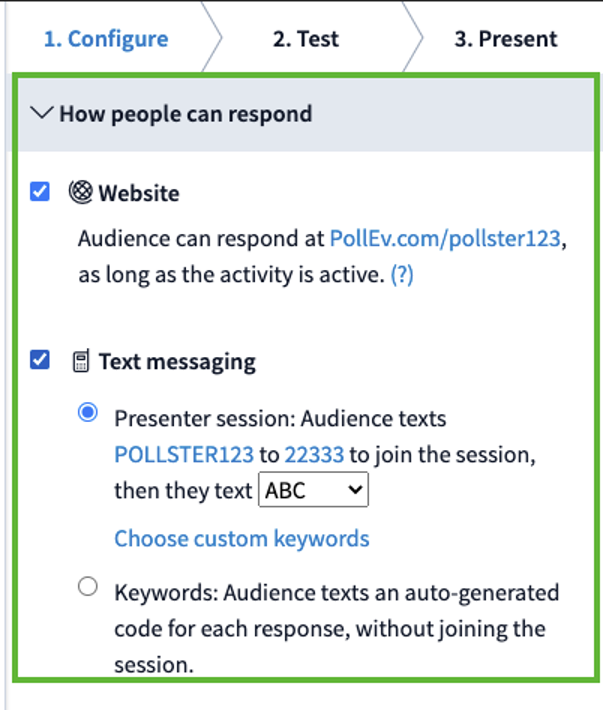
There are a number of ways participants can respond to your activities. All response options are available on all plan levels. Here are the different ways your participants can submit responses:
- PollEv.com webpage
- Poll Everywhere mobile app
- SMS text message
- Through shared links and activities published on the web
To set a response method open an activity, click the Configure tab in the menu on the right of the screen, then select How people can respond. Check all of the ways you would like the audience to be able to respond.
Helpful tip: All activity types can receive responses via the web, but only Open-ended (including Word cloud) and Multiple choice questions can accept text message responses. Clickable images, Q&A, Ranking, Surveys, and Competitions cannot accept text responses. Competitions, though they are comprised of Multiple choice questions, also require response via the web or mobile app.