
If you are experiencing issues inserting activities into your PowerPoint presentation through the Poll Everywhere app, you can generate a downloaded slide for the activity as a workaround.
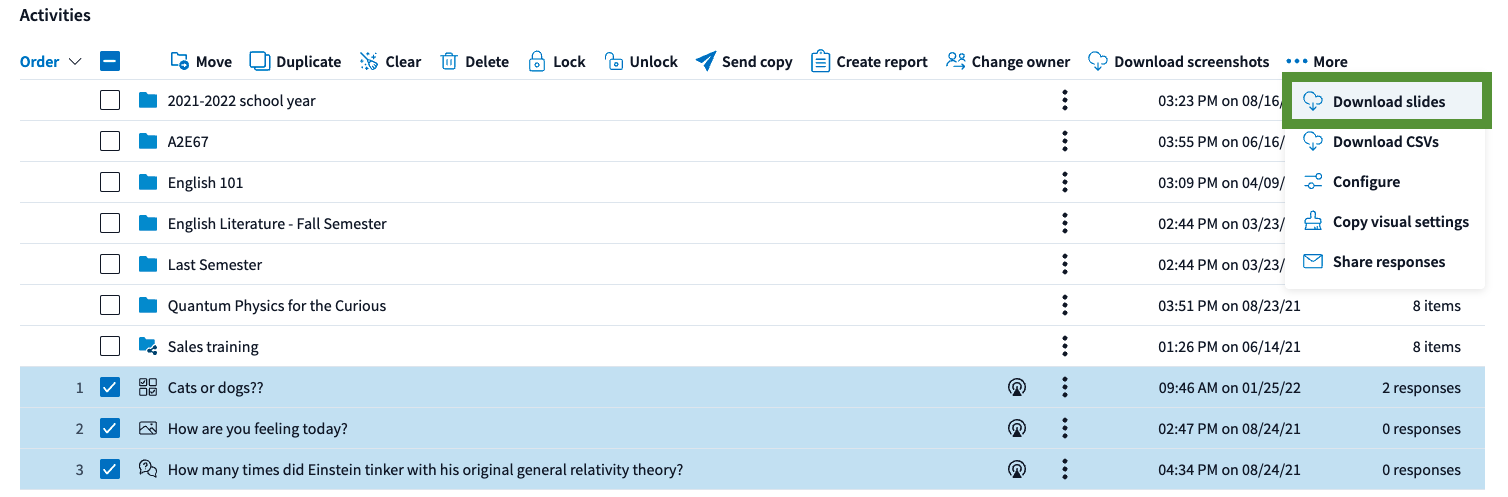
Check the boxes next to the Activities you want to download as a slide for. Then, click the Download slides button under More at the top of your Activities and Folder list. This will create and email a .zip file containing your selected Activities. Open the file to access the downloaded activity slides.
Note: The slides will be downloaded as a .PPTX file within the .ZIP file. When opening the .PPTX file, it may show a blank PE placeholder of the activity, however, when entering in Presenter/Slide Show mode, it will display the activity as expected.
Helpful Tip: If you are on a Mac, the Poll Everywhere application will need to be open in the background.