In this article:
While Poll Everywhere accounts have only a single Account Owner, presenters can be added to most business & non-profit plans. Adding presenters allows you to share a plan’s features with additional teammates. Visit the Poll Everywhere plans page for details on available features.
Inviting presenters to account
Step 1: Log into your account and click on on the Invite teammates button on the bottom left.

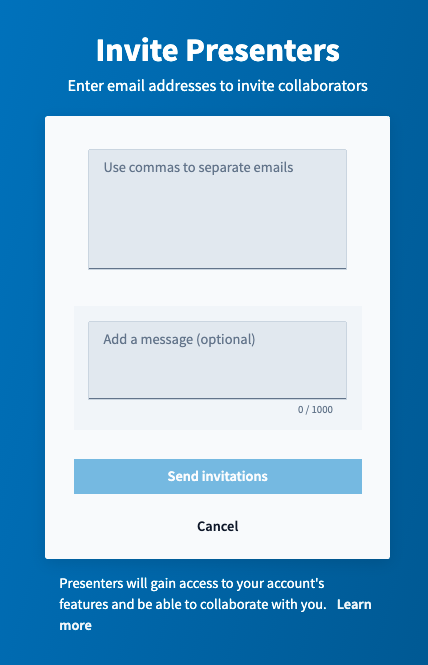
Step 2: Enter the email addresses of the people you’d like to add as presenters to your account. The individuals will get an email inviting them to join the account.
Managing presenters
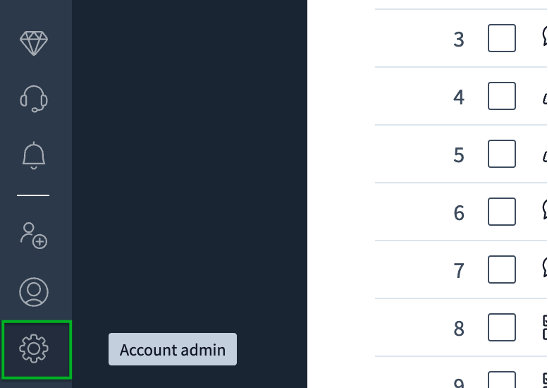
Step 1: Log into your account and click the on gear icon at the bottom left of the page.
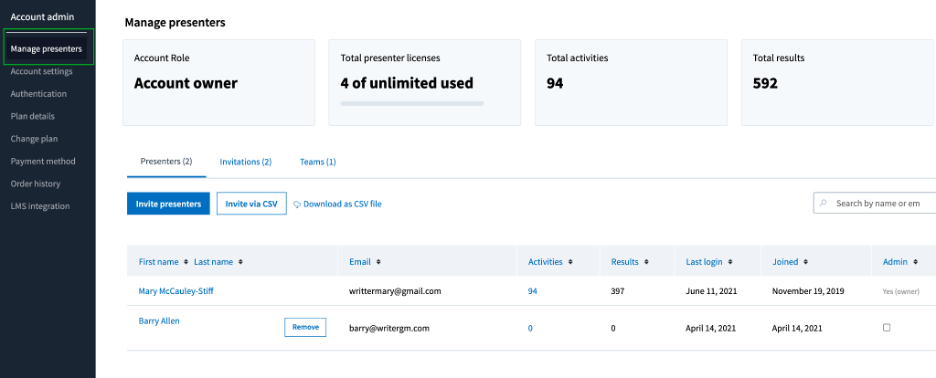
Step 2: Select Manage presenters in the menu on the left if it is not already selected.
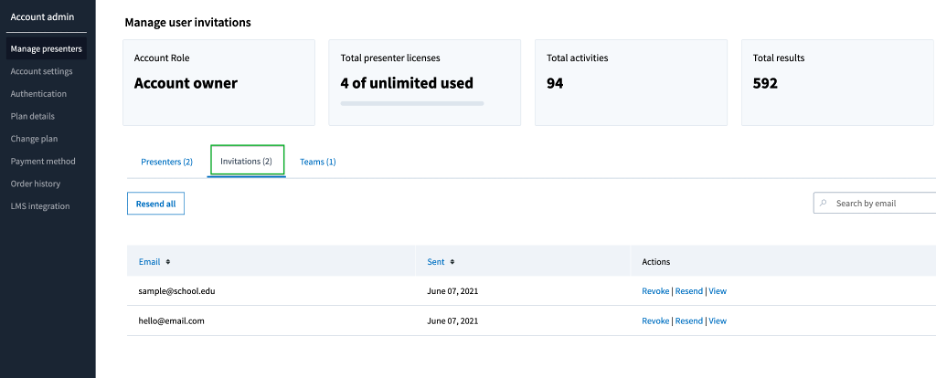
Invitations tab
The Invitations tab of your Manage presenters page shows the invitations which are awaiting confirmation. From this tab you can cancel an invitation or resend it if necessary.
Presenters tab
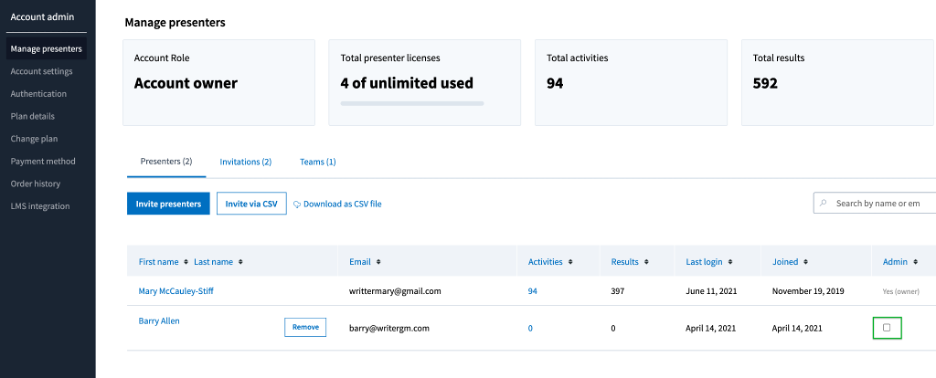
Presenters who accept an invitation will appear in the list on the Presenters tab. You can see the number of activities they have, responses received, last login, and date they joined your account.
You can grant a presenter admin privileges by checking the box next to their name in the Admin column.
Helpful tip: Be careful who you give admin privileges to. Presenters with admin privileges can reorganize Teams and make changes to and delete other presenters' activities.